EditiX XML Editor 2022
Schema Editor - XSLT Editor - XSLT Debugger - XSL-FO Editor - XQuery Editor

Screenshots
EditiX XML Editor 2022
General
- Smarter XML tree update
- Inner parser updated for better performance
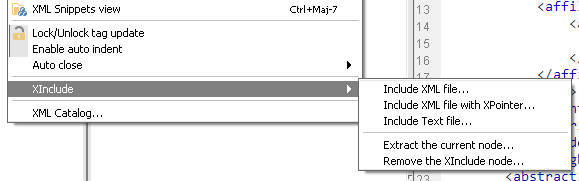
- XInclude is now managed inside the XML menu : xml and text source
- Extract any nodes by a subfile with XInclude
- Remove and replace any XInclude nodes
- Include a node with XPointer
- Select a node by double-click inside the tree
- You can choose between Xerces or the Editix's parser (preference editors/editor/innerParser)
- Double-click on the node hierarchy for selecting a parent
- Import CSV/XLSX spreadsheet
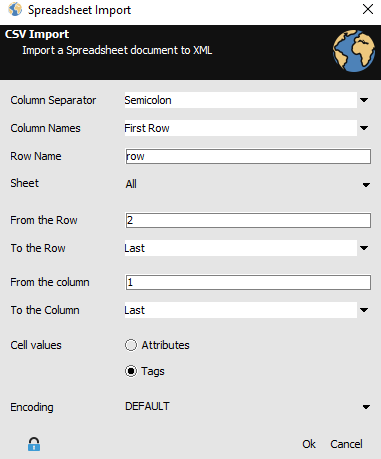
- New wizards for a new XML document from CSV/XLSX
- Create a project from an archive file (.zip,.docx...)
- Archive your project from the popup menu
- The tree can display nodes with another xml:base
- "Search in a tree" item has been removed
- Select the current editing node using ctrl+double click
- Log4J has been removed, you cannot use the eXist database connection by default but you can plug it.
Scenario Editor
- New task for unzipping a set of files
- New task for zipping a set of folders
JSON Editor
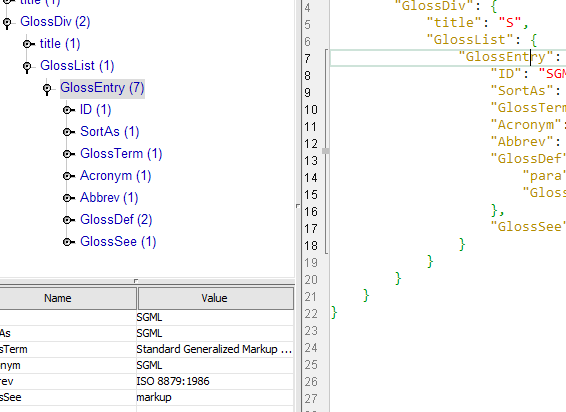
- Edit from the tree any object properties
- Current node path is available
W3C Schema Editor
- Edit a node name or ref by double-click in the visual editor
- When saving inside the visual editor the source editor is not automatically switched
XSLT Editor
- New wizards for XSLT 2.0/3.0
- XSLT Parameters can use files from the current project
Bugs fixed
- The current tree location wasn't activated for the first caret move inside the JSON editor
- Duplicated key fixed for JSON editing
- When creating a new XML document, the initial tree location was wrong
- 1px white border was added inside the visual w3c schema nodes
- Editing from the the XPath data grid could generate a double prolog
- "Comment a node" from the tree worked after two selections only
- "XML comparaison to" didn't start automatically when selecting another document
EditiX XML Editor 2021
General
- Last temporary error messages are now available with a popup from the status bar
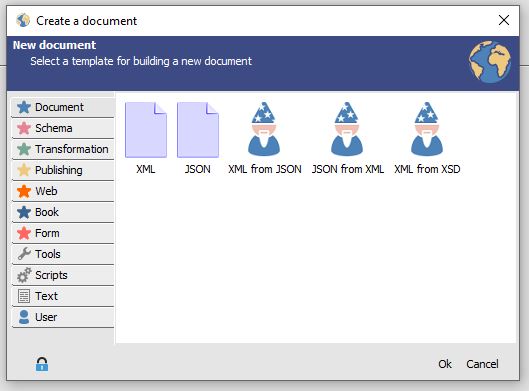
- New wizard for building an XML document from a W3C schema
- New wizard for building an XML document from JSON
- New wizard for building a JSON document from an XML document
- Assign a JSON Schema for validating your JSON document
- JSON Schema document management
- The template menu is now a file submenu
- EditiX is compatible Java 14
- Various UI updates
W3C Schema Editor
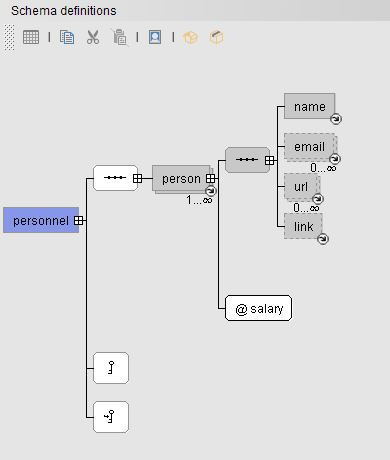
- New wizard for building a Schema from an XML document
- Schema source is only updated after visual update
- New Option for editing the default Schema documentation CSS
- Open all/Close all actions
- Preference xsdEditor/saveBeforeChecking for avoiding auto saving for XSD schema checking
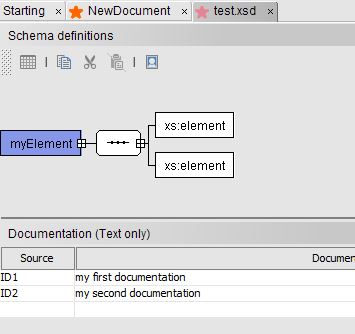
- Multiple documentations for the XSD schema support
- Fixed Visual schema for invalid type
- Fixed simple type with list update
- Fixed extra space inside images for the schema documentation
- Fixed Documentation missing for the Schema documentation generator
- Fixed Attributes array border for the Schema documentation
- Fixed Recursive XSD Schema content can create infinite loop inside the visual editor
- Fixed invalid "DTD parsing" message when switching to the visual editor
XST Editor
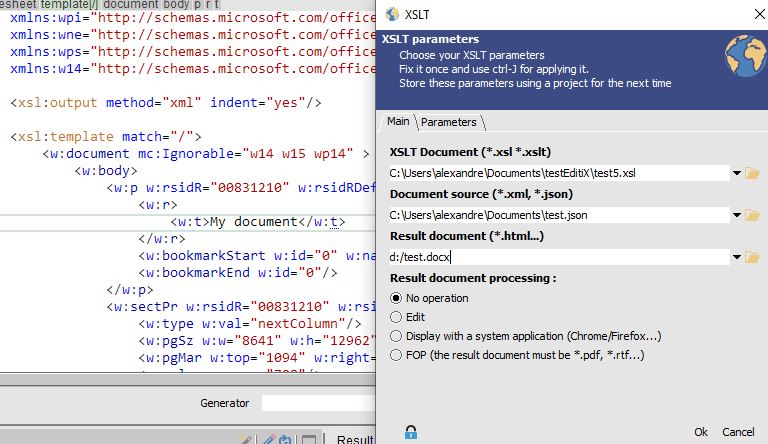
- Word document (.docx) support for xslt output
- Excel document (.xlsx) support for xslt output
- Add/Update zipped output documents (menu options)
- JSON files support for transforming data sources
- Generate a scenario for multiple transformations
- Update XSL-FO template
Scenario Editor
- Use JSON file data source for XSLT task
- Word/Excel document output for XSLT task support
JSON Editor
- New JSON specific attributes : ed:attributes, ed:text, ed:children for complete XML reversal
- New JSON Menu
- Insert/Delete JSON member item
- New JSON tree actions (new,edit,remove)
- Fixed JSON formatting keeping the properties ordering
- Fixed JSON tree location for properties with object
- JSON Export fixed due to duplicated keys
- JSON Export can now (with a preference) open the result
- Tag duplicata for half close tag fixed
- Color syntaxing for JSON document fixed
- Duplicate key location error for the JSON format fixed
Bugs fixed
- Fixed table edition crash without xpath expression
- JSON to XML with invalid tag name fixed
- Random issue when surrounding and closing a tag
- Last file filter is keeped when opening a new document
- Fixed look and feel exception for Linux usage
- Default export for a data table is a raw text format
- Previous parameters are restored even without using the recent files menu
- Reordoring for the default template
EditiX XML Editor 2020
General
- Previous parameters are restored even without using the recent files menu
- Reordoring for the default template
- Fixed search sequence issue
- Fixed search panel location issue
- Fixed the find/replace dialog for large text
JSON Editor
- Color syntaxing for JSON document
- New JSON Menu
- Insert/Delete JSON member item
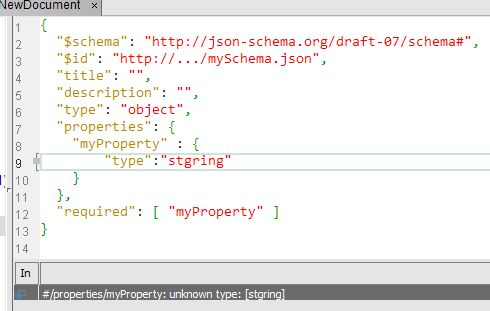
- Assign a JSON Schema for validating your JSON document
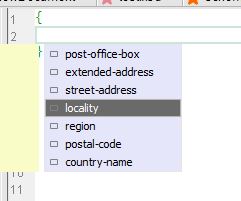
- JSON Schema content assistant
- Fixed JSON formatting keeping the properties ordering
- Fixed JSON tree location for properties with object
- Fixed \r\n for multiple lines inside the JSON export
W3C Schema
- Preference xsdEditor/saveBeforeChecking for avoiding auto saving for XSD schema check
- Multiple documentations for the XSD schema support
- Fixed Recursive XSD Schema content can create infinite loop inside the visual editor
- Fixed regression for XSD displaying with reference external type
- Fixed multiple windows when generating the XSD documentation
- Reference or External type are disabled inside the XSD view
- Fixed XSD diagram missing multiple type usage
- Fixed the W3C schema visual editor
EditiX XML Editor 2019
General
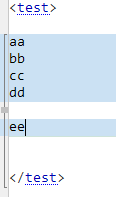
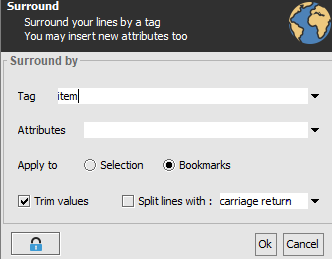
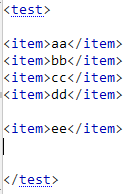
- New surround action working both selection and bookmarks
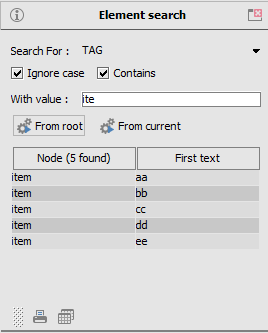
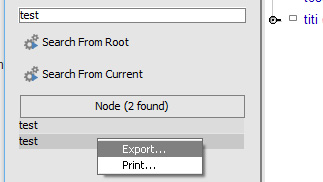
- Node search panel updated : ignore case, contains options, print and export to file actions
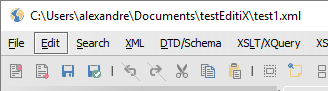
- Current file path inside the window title (preference application/interface/title-path)
- Insert any file path by dragging your files inside the editor
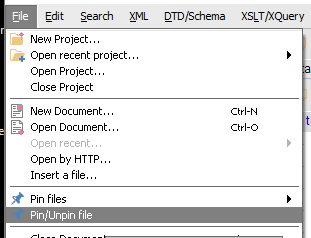
- Pin/Unpin any file
- Auto close tag mode with inline or block data

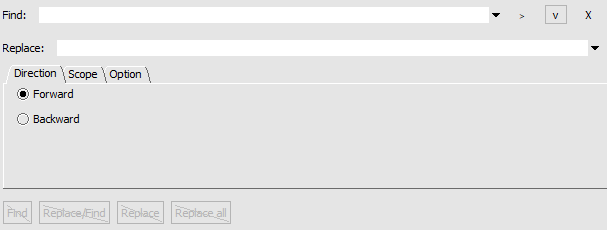
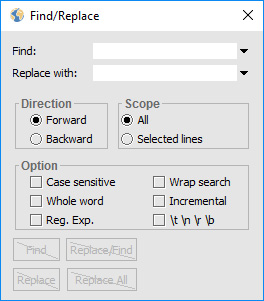
- New search/replace dialog (old version available with the preference application/interface/oldFindReplace)

- New action : Trim text content (ctrl shift r)

- Choose inner or external messages using the preference interface/externalMessage
- Delete all your favorite dialog locations
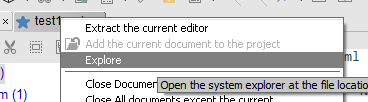
- Open the system explorer for any file from the tab popup
W3C Schema
- Drag'n'Drop your XSD file to your XML files for assigning
- Drag'n'Drop your XSD imported / included file inside your Schema
XST Editor
- Drag'n'Drop your XSLT part file for including it
FO Editor
- Edit the default FOP configuration inside editix
CSS Editor
- Drag'n'Drop your CSS part file for including it
HTML Editor
- Drag'n'Drop your JavaScript file for including it
Generator
- UTF-16LE, UTF-16BE encoding
Libraries update
- Xerces 2.12
- FOP 2.3
Bugs fixed
- DTD/Schema parsing failing for non ascii characters inside the document location
EditiX Community Edition 2018
Access to the sources of EditiX XMl Editor
Modify and use it for your own activity
https://github.com/Editix-xml-editor
Sources are available in both licenses :
- Non commercial usage
EditiX XML Editor 2017

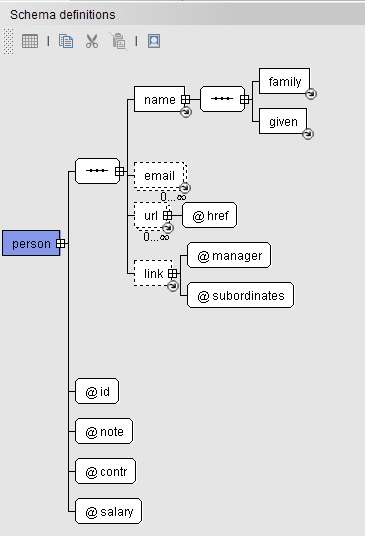
New W3C Schema Editor
- Efficient and intuitive Visual Editor
- Fast displaying
- Full Schema view
- Display included/imported schemas
- Copy/Paste nodes
- Drag'n Drop nodes
- Namespace management
- Print your diagram or text
- New XSDDoc Documentation generator
- New W3C Documentation generator look
General
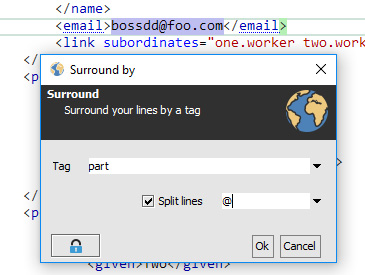
- Smart surround action with splitting mode
- Repeat your last surrounding action
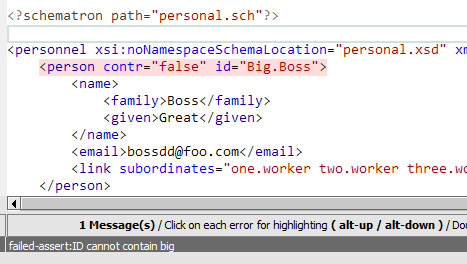
- Assign Schematron to your XML document
- Validation with Schematron rules
- Escape sequence management for search/replace
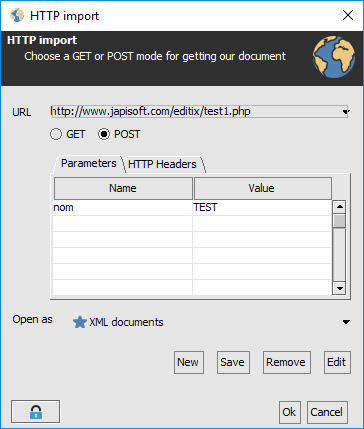
- New HTTP dialog (GET/POST/HTTP headers, history...)
JSON Editor
- Array management
- Auto close for array
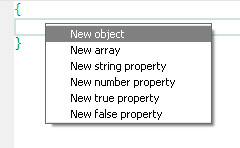
- New object,array,properties popup
HTML Editor
- Assistant for ID Reference
- HTML to XHTML converter
XSL-FO Editor
- Assistant for inner links
XSLT Editor
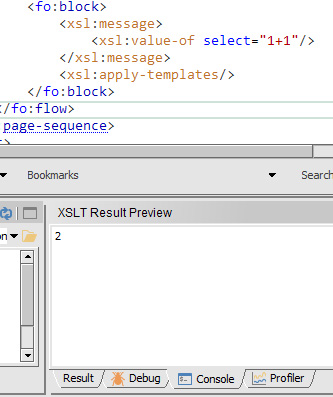
- New console output for XSLT 1.0/2.0
Version : 2016
General
- New background validation mode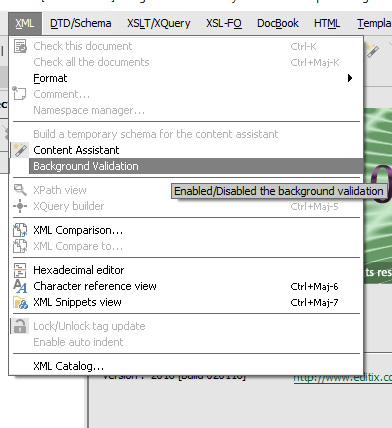
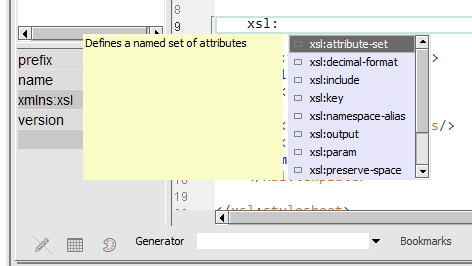
- Content assistance performance improved
- Write a sequence and complete it from the content assistant
- Very long line optimization mode avoiding editix latency (new preference)
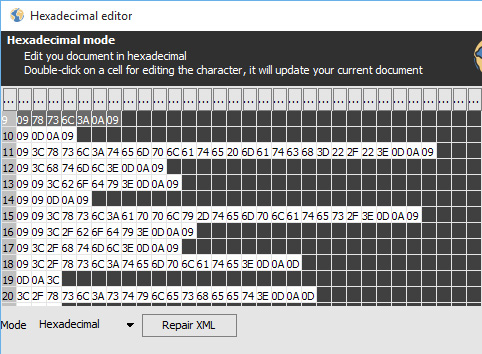
- Repair corrupted XML content inside the hexadecimal editor
- Auto close mode for quotes (new preference)
- Enabled/Disabled "xml:space" usage for formatting
- Print,Export any tables to CSV/XLS/XLSX
- XSL-FO full validation while parsing
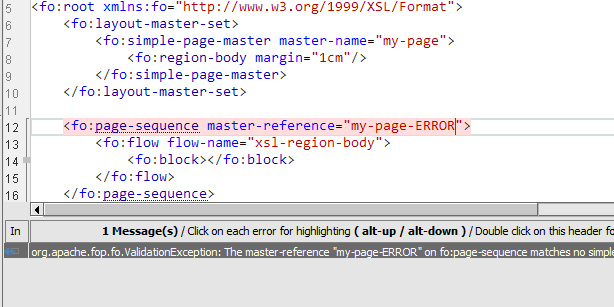
- Support for FOP 2.0 & 1.0
- Support for eXist 3.0RC1
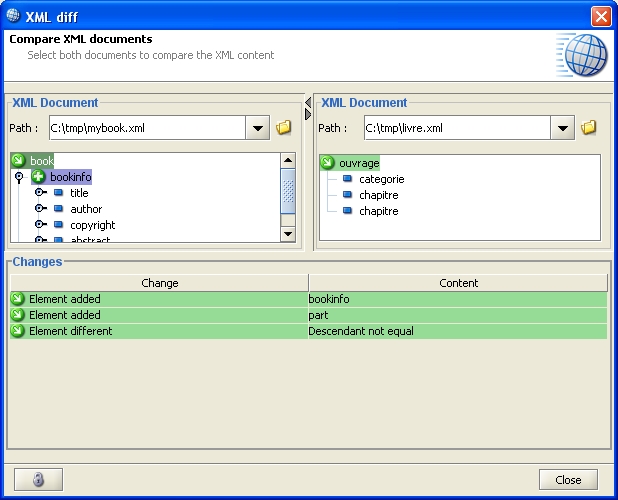
New XML Comparator
- Visual differences highlighting
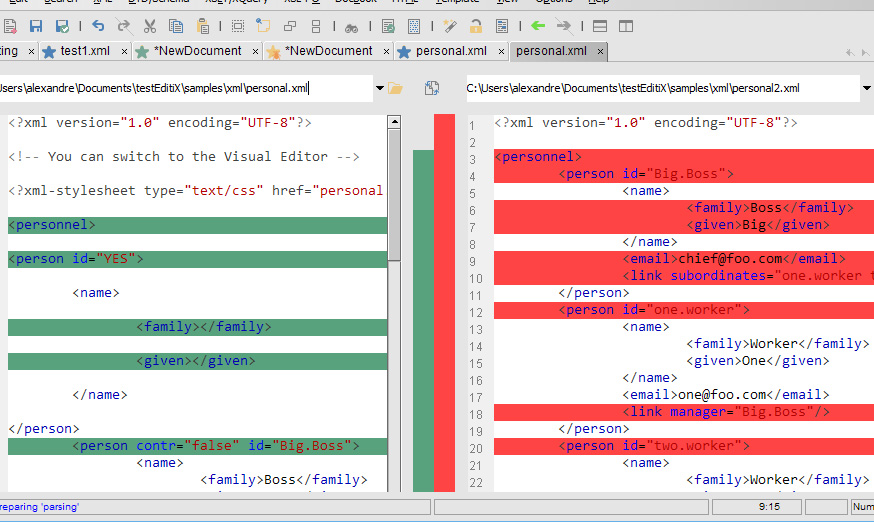
- Easy differences navigation
- Complete summary
- Edit both documents while analyzing
- Efficient comparison mode from the current document
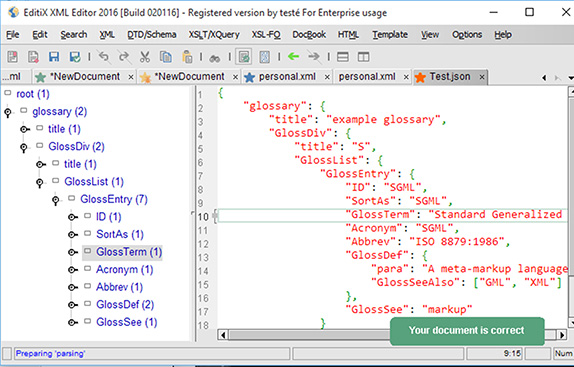
New JSON Editor
- Syntax coloration
- Syntax check on the fly
- Content assistant for properties
- Auto indentation
- Pretty format
- Real time tree outliner with location
DTD/Schema Editor
- XML inference from the current schema element chooses now the nearest element definition
- XML inference from the current element works inside a contextual popup menu
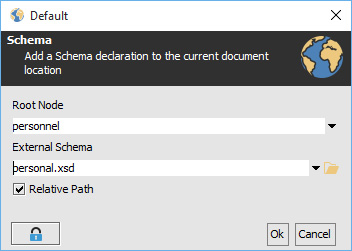
- Default XML inference will ask for the root element
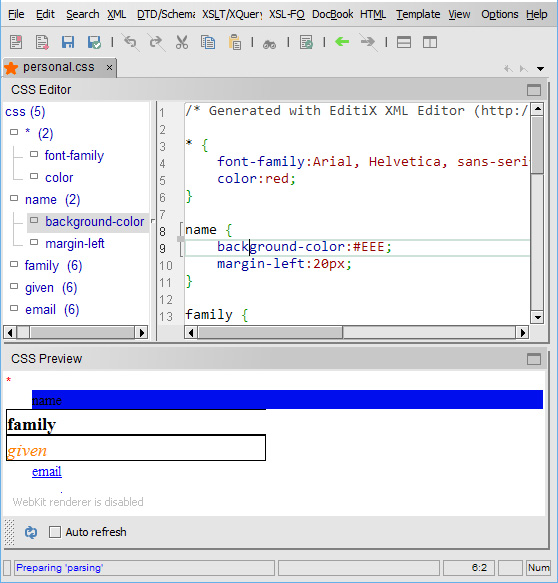
CSS Editor
- Real time outliner with location on the fly
- New content assistant for the selector
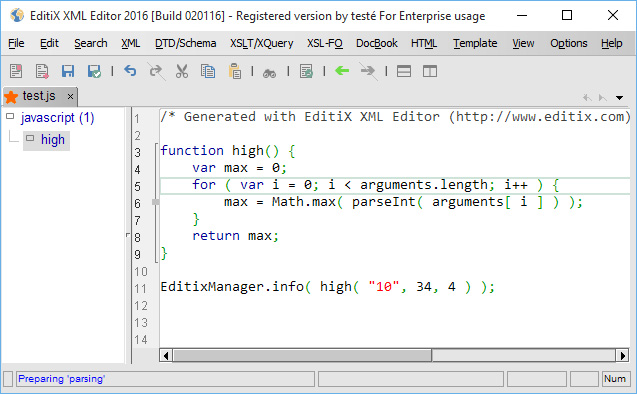
JavaScript Editor
- Real time outliner with location on the fly
- New content assistant for parameters
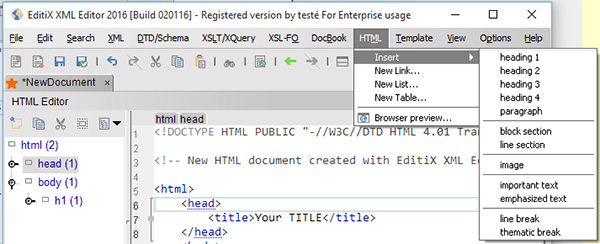
HTML Editor
- New Browser preview item for the HTML menu
- Usual tag insertion from the HTML menu
New Preferences
- editor/longLineOptimization : By defaut true for optimizing long line management
- editor/autoCloseQuote : By defaut true for terminating automatically quote
API
- EditiXManager / public EditixDocument getCurrentDocument() : access to the current editor
- EditiXManager / public EditixDocument newDocument( String type ) : create a new document
- EditiXManager / public void closeCurrentDocument() : close the current editor
- EditixDocument / public boolean save() : save the current document
Libraries
- FOP 2.0
Bugs fixed
- Fixed wrong cursor location for Mac OS X
- Fixed export schema image dialog for Mac OS X
- Fixed JavaScript content assistant for variable declaration
- Fixed content assistant comment with xsd schema reference
- Fixed on the fly parser for duplicated attributes
Version : 2015
Service Pack 1
- Fixed printing
- Fixed XSD documentation generator
- Fixed content assistant problem for linux, remove transparency for all platforms
- FO Transformation fixed
- Splashscreen problem for unix/linux fixed
- Minor changes about icons
General
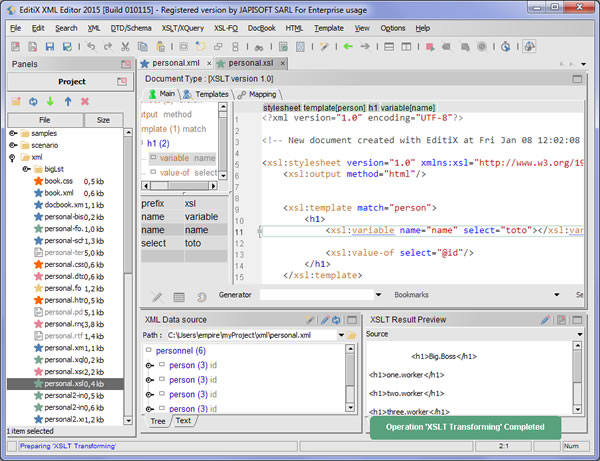
- New Interface look
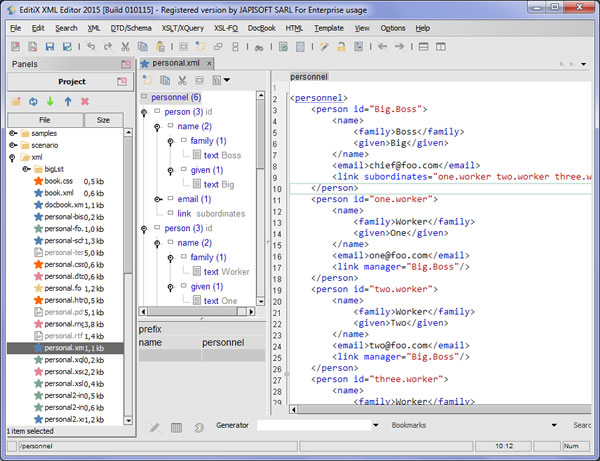
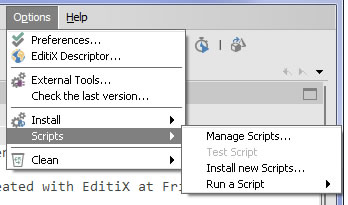
- Control and extend Editix with Scripts
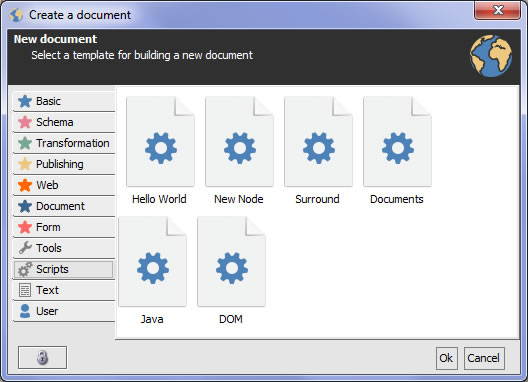
- Various Script samples (simple output,new dialog,alter current dom...)
- Auto-indent mode
- Memory Problem for a large document is notified
- Memory Optimization for outline trees
- Project Performance improved
- Project State restored when loading with the preference file/restoreProject
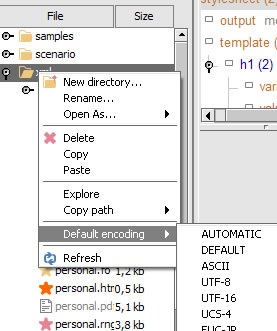
- Default Encoding can be set for any project nodes
- Inner Refactoring splitting Editix into independant modules
- New default editing font : Consolas
- Automatic new version check at starting
- "Tip of the day" is disabled by default
- New packaging for Mac OS X and Unix/Linux
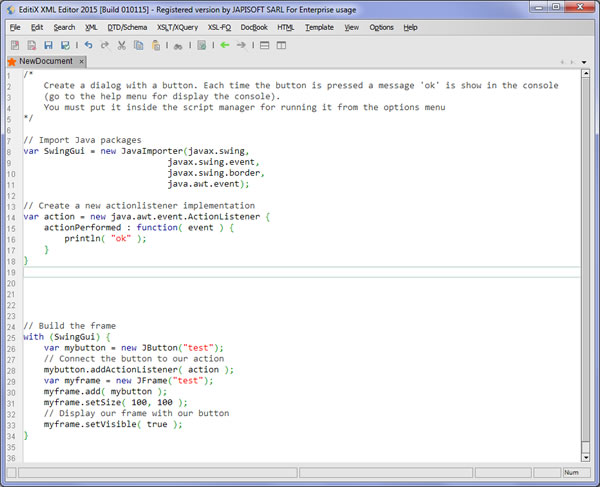
New JavaScript Editor
- Syntax Coloration
- Syntax Check
- Content Assistant for variables and functions
- Auto Indentation
XSLT Editor
- Contextual node assistant
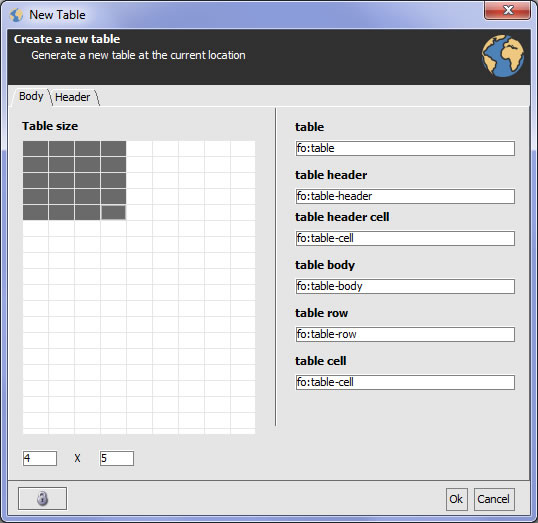
- HTML and FO Wizards (table, list...)
- Location bar displays the current template, loop or variable context
- Saxon extensions completion (for elements,attributes and values)
XSL-FO Editor
- New Link Wizard (inner and external links)
- New List Wizard
- New Table Wizard
- Location bar displays the current page sequence, flow or block with id
- Update to FOP 1.1
W3C Schema Editor
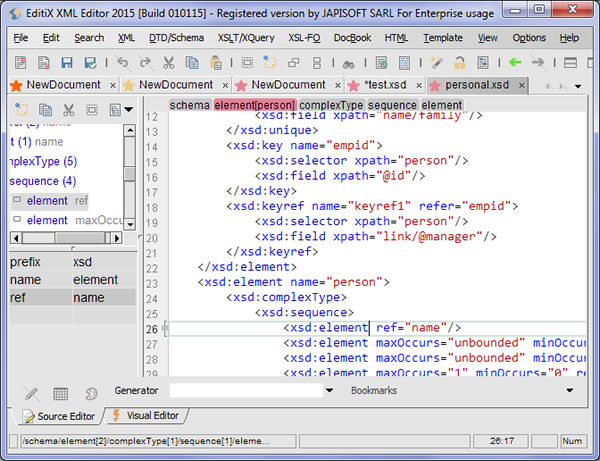
- Location bar displays the current definition (element or type)
RelaxNG Editor
- Location bar displays the current definition
XHTML Editor
- Location bar displays the id hierarchy
HTML Editor
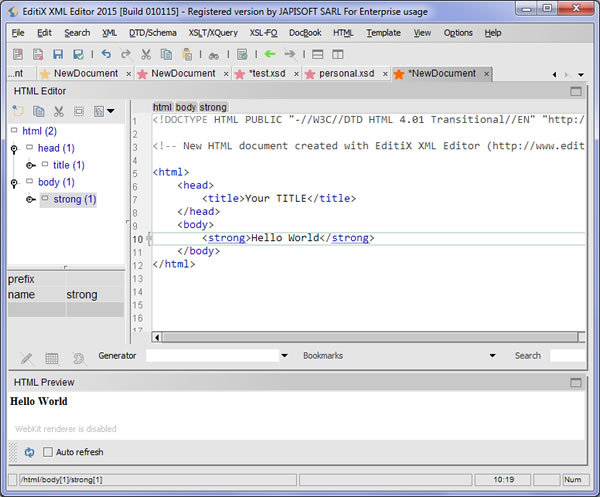
- New HTML menu
- New link wizard (inner and external links)
- New list wizard
- New table wizard
- Outline tree with real time position
- Checking action for HTML and HTML 5 documents
CSS Editor
- Auto indentation
- Content assistant enhanced for properties values
SVG Editor
- Location bar displays the id hierarchy
Bugs fixed
- Anti-aliasing fixed for the CSS editor and the XQuery editor
- Invalid output file wasn't notified for FO Transformation
- Error panel didn't disappear automatically for FO Transformation
- On the fly errors was shown once
- Profiler didn't working for XSLT 1.0
Version : 2014
Build : 040914
Service Pack 1
- Various problems for the Schema generator (W3C/DTD/RelaxNG) fixed
- XML Formatting crash with DTD path having '-' fixed
- File searching using the current project fixed
- Error message when closing an empty project fixed
- Anti-aliasing for left title panels fixed
- When saving a new document, the current project path is used automatically
- The project tree is updated automatically when saving a document
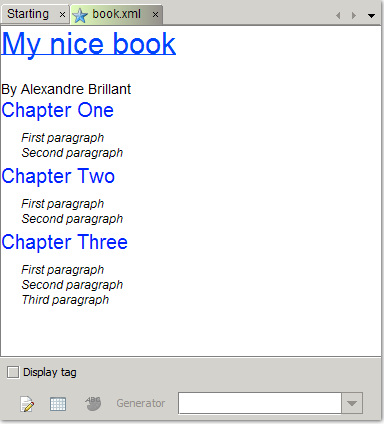
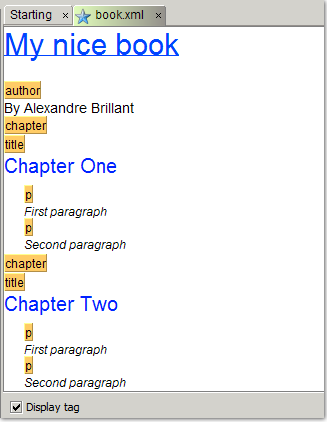
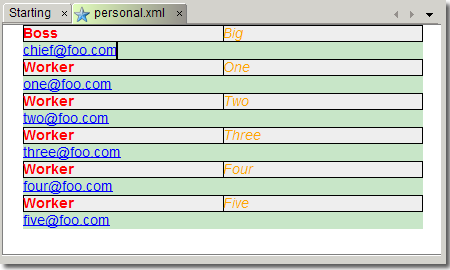
New Visual editor by CSS
- Edit your XML document using a standard CSS (Cascading Style Sheets) file
- Visual mode with tags or pure text
- "On the fly" document location while editing
- Insert/Append/Delete nodes from any nodes
- Duplicate any nodes while editing (ctrl/command enter)
New Project Management
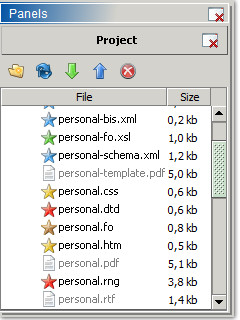
- Direct mapping with physical path
- Synchronization (upload/download) with multiple local/network/FTP sources
- Copy/Cut/Paste files or directories
- Rename (F2 support), Create directory
- Refresh any parts (F5 support)
- Save/Restore your parameters automatically
- Open the native explorer from the selection
- Copy file path (system and URL format)
General
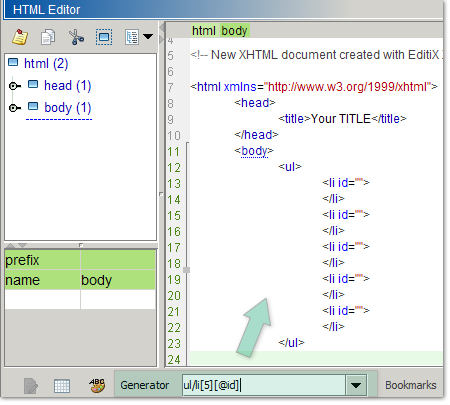
- Powerful XML Generator from XPath Expression
- 17 New UI themes ( using the interface/theme preference )
- Background tasks starting / stopping displayed in the status bar
- Update the content assistant component
- Update for the font preference dialog
- Update Default font size (editor and tree)
- Support for XPath 3.0
- ctrl (command on mac) 1-9 key shortcuts for selecting tabs
- Hexadecimal editor displays invalid XML characters in red
XSLT Editor
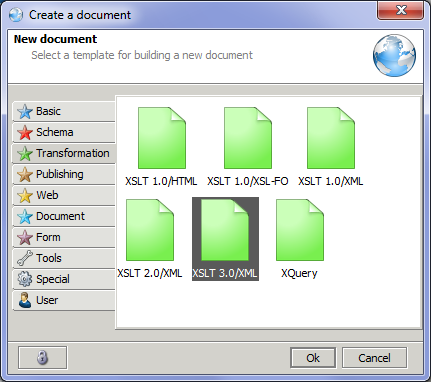
- Support for XSLT 3.0
- New Debugger/Profiler for XSLT 3.0
- Variables and Parameters support for XSLT 2.0 debugging
- "Double click" on the templates page for editing
XQuery Editor
- Support for XQuery 3.0
XHTML Editor
- XHTML Preview ("on the fly" or on query), F5 support
- Fast <br/> insertion with ctrl (command on mac) enter
- Fast <p></p> insertion with ctrl (command on mac) shift enter
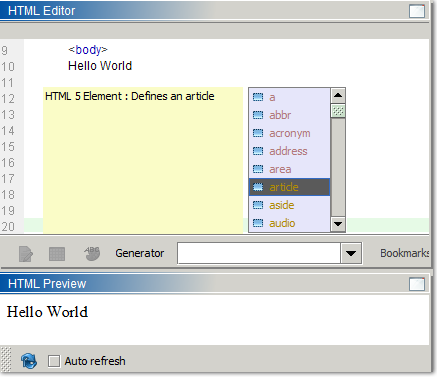
New HTML Editor
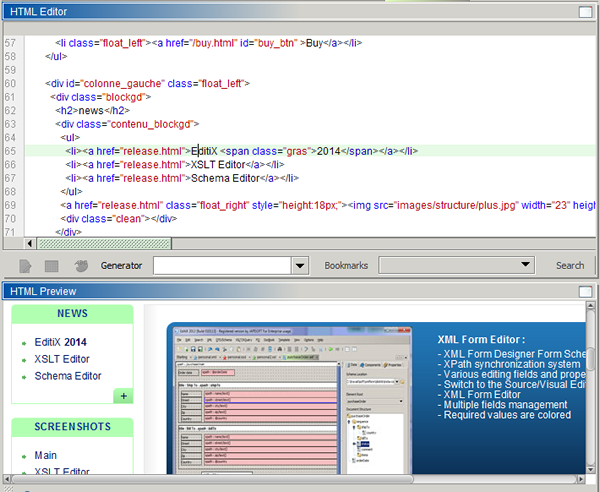
- HTML Preview ("on the fly" or on query), F5 support
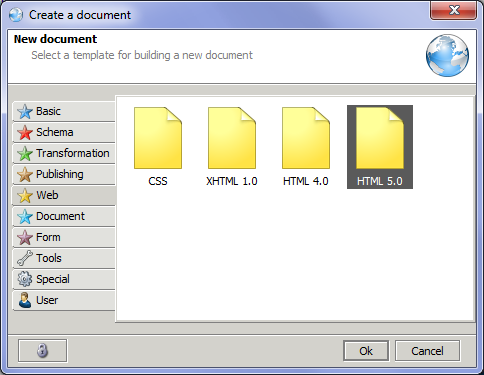
- HTML 4.0 template
- HTML 5.0 template
- HTML 5.0 content assistant
- Fast <br> insertion with ctrl (command on mac) enter
- Fast <p></p> insertion with ctrl (command on mac) shift enter
CSS Editor
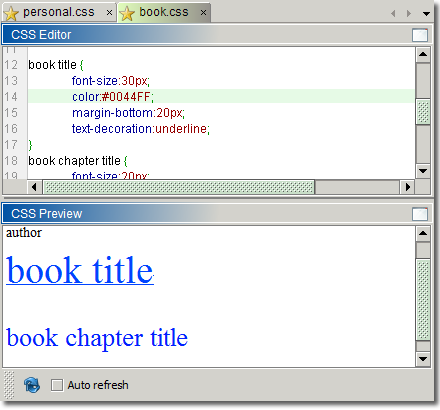
- Visual CSS Preview (CSS3 rendering),
- Visual refresh on the fly or one query, with F5 support
- Support for CSS3 (parser & content assistant)
XSL FO
- Support for relative resources (image...)
SVG Editor
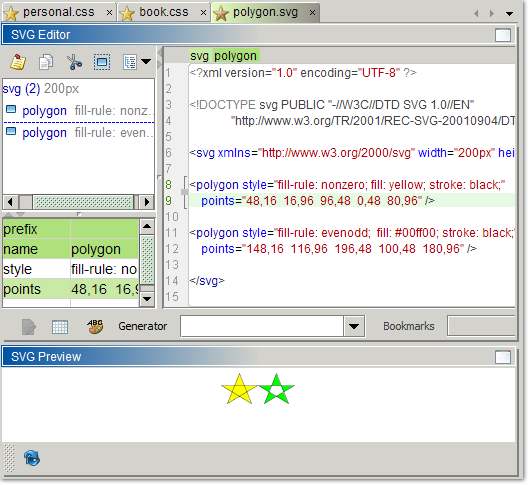
- SVG Preview,
- Visual refresh on query, F5 support
Bugs fixed
- The search Combo accelerator couldn't be used twice the for same expression
- The search Combo accelerator didn't work for non XML documents
- The XML prolog was lost inside the XPath filter
- Anti-aliasing was disabled on Windows 7
- Preference for the current line color was ignored
- Fixed inner DTD parsing
- The content assistant could freeze with attributes on unknown tags
- Fixed HTML content assistant
- Fixed dual screen usage and initial window location (preference windowLocationChecked)
- Fixed relative path assignation (CSS,XSD,DTD)
- Fixed XML Form designer schema tree
Version : 2013
Build : 171013
Service Pack 1
- Fixed default excel file extension from xslx to xlsx
- Fixed SVG Preview including JavaScript code
- Fixed Multiple declarations for DTD, Schema, RelaxNG inference
- Fixed Wrong order for the reporting list
- Fixed Default dialog location and size storage
- Fixed Ctrl Space activator replaced by Command space activator for Mac OS X
- Minor GUI improvements (button border, text font fixed)
- Removed border for grid buttons
- Frame title is updated
- Line number contrast improved
- Warning now thrown for transformation path with whitespace characters inside
- Document Filter available from the project toolbar
- Property DEFAULT FILE ENCODING is renamed SYSTEM FILE ENCODING
- Item XSL Scenarios is renamed XSL Scenarios archive
- Default Font for Mac OS X is now Courrier/12pt
- DTD/Schema menu reorganized
General
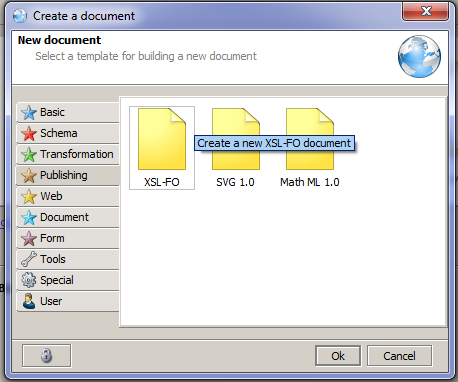
- New document dialog
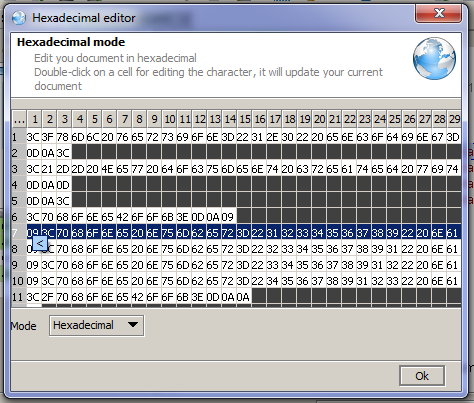
- Hexadecimal editor (working in hexa, decimal and character mode)
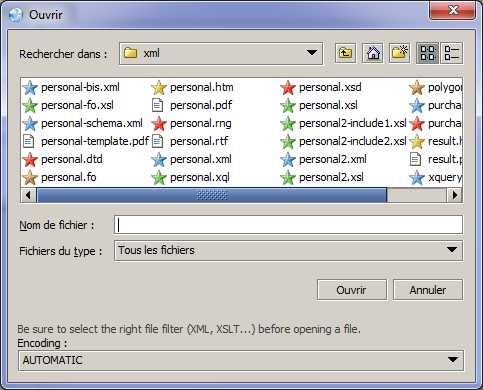
- File dialogs displays now document icons
- You can now restore to the default template document
- Update of the Template dialog
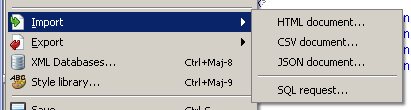
- Import/Export for the JSON format
- Bookmark/Unbookmark any document lines by clicking on the row number column
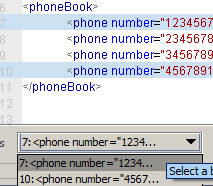
- Find your bookmarks at any times from the bottom toolbar
- Bug/Request reporting are sorted from the current version
- Goto action for an offset
- Global performance improvement due to profiling
- GUI update
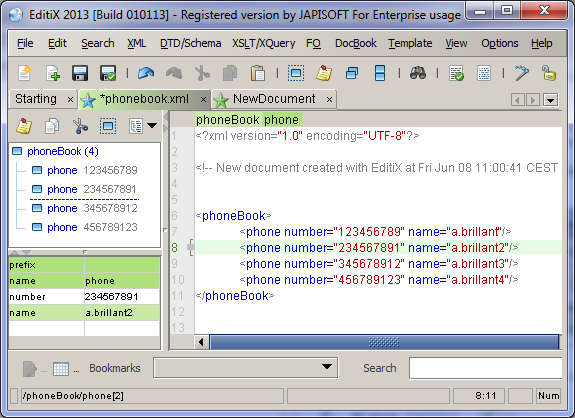
File Browser (file,ftp,zip)
- Select a file filter highlights the right files
- Refresh action (for file system usage)
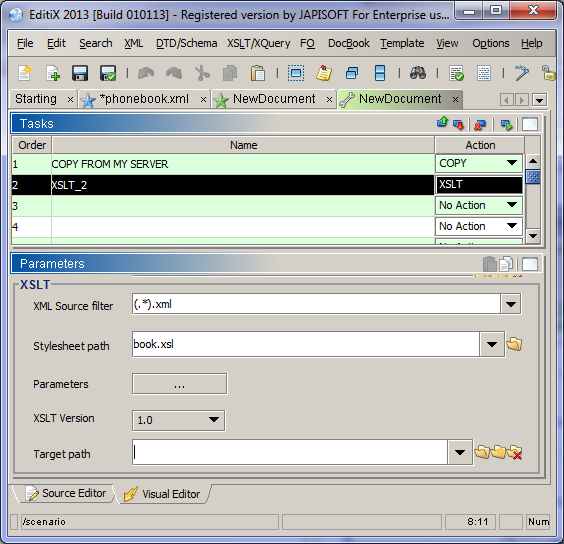
New XML Scenario document
- Create complex XML scenario for a file or a set of files (by directory)
- Run it inside Editix by task or the whole scenario
- Run your scenario in command line
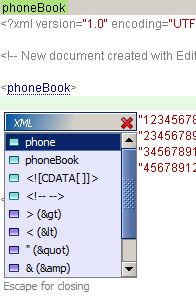
XML Editor
- New tags and attributes assistant when no schema is found (ctrl space)
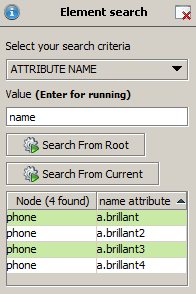
- "Element Search" panel result can be sorted by column
- XPath panel result can be sorted by column
- Double click on the error panel header for maximizing the messages
- Filter dialog can help user choosing descendant elements and xpath components
XSLT Editor
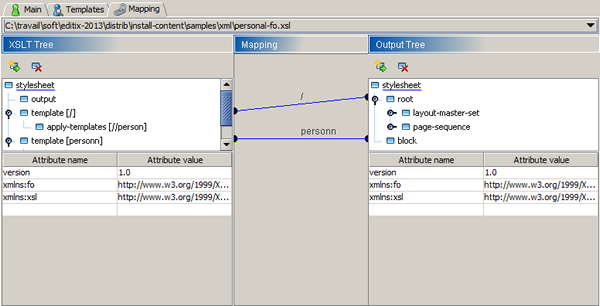
- New Mapping view splitting XSLT tree and Output tree
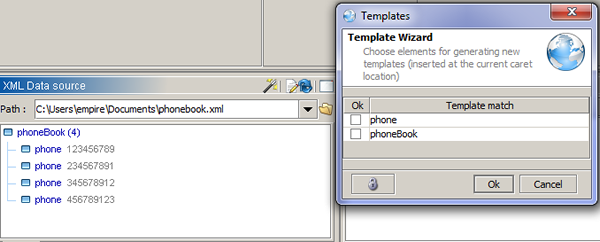
- New template wizard from the data source panel
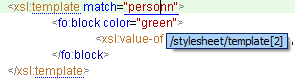
- Use ctrl + mouse for finding quickly references
W3C Schema Editor
- Use ctrl + mouse for finding quickly references
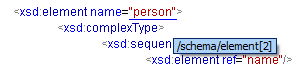
XSL FO Editor
- Use ctrl + mouse for finding quickly references
Bugs fixed
- An invalid document type from the recent files could crash Editix at starting
- XPath Panel for 2.0 could crash with non nodeset result
- Form designer could crash with XSD Element reference
Version : 2012
Build : 300412
General
- Application descriptor can be edited for changing Menus / Toolbars / Popups...
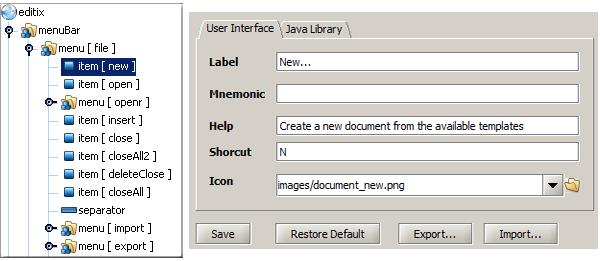
- Plugin API for controlling editing / adding new features to EditiX
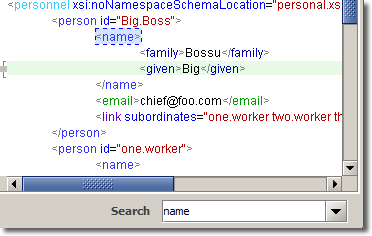
- Search field while editing by elements/attributes or xpath expressions
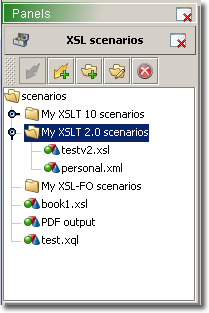
- XSLT/XSLFO/XQuery panel for reusing transformation scenarios
- Spell checker (Google Service usage) working with 11 languages
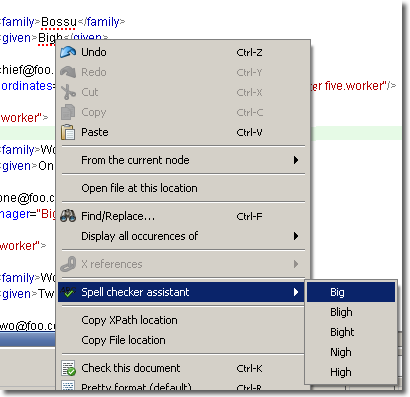
- Improved DTD, W3C Schema, RelaxNG Inference
- Custom Node Coloration from the XML tree Popup
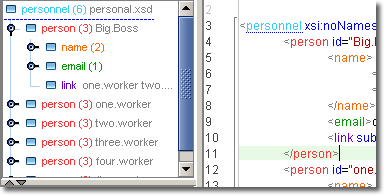
- Engine Updates for inner XML libraries
Filter
- Import / Export an XML grid using a CSV file format
- Filter activation is saved for next editor usage
XSLT Editor
- A W3C Schema can be bounded to the XSLT document for output content assistant
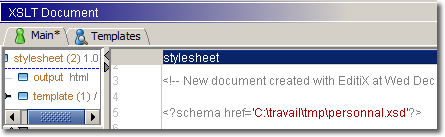
XML DataBases
- Improve eXist connection test
Bugs fixed
- Recent files saves now all user parameters ( XSLT Parameters... )
- Select node from the tree popup didn't work
- Error icon overrided the tab icon
- Locked/Unlocked state editor refresh fixed for the toolbar usage
- XML Formatting could bug with tags in comment inside the document header
- XML Formatting could bug with ", ' entities in text
- Location by line fixed
- Focus lost when checking a document
June, the 30 th 2011
Version : 2011 Service Pack 1
Build : 010611
General
- xml:space = 'preserve' or 'default' are managed while formatting
- Error keys selection (ctrl shift up/ctrl shift down) changed to alt down/alt up
- New preference [editors/editor/maxErrorLines] for changing the default error panel size
- New preference [xml/xmlconfig/XML Instance with all attributes] for generating XML instance from XSD
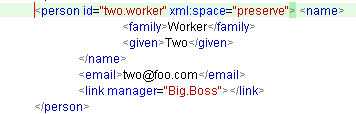
Schema
- Improved W3C Schema Generation from an XML instance
Filter
- Automatic Activation is taken into account when changing XPath expression
- CDATA section are managed
XSLT Editor
- xsl:text with inner white spaces are preserved while formatting
XSD Editor
- Enumerations are taken into account while generating an HTML documentation
- Open/close states for nodes are preserved
Bugs fixed
- CDATA lose with the filter editor
- Permanent Tooltip while editing fixed
- New font name by a preference wasn't taken into account for editing
- CheckAll action fixed
December, the 27 th 2010
Version : 2011
Build : 271210
General
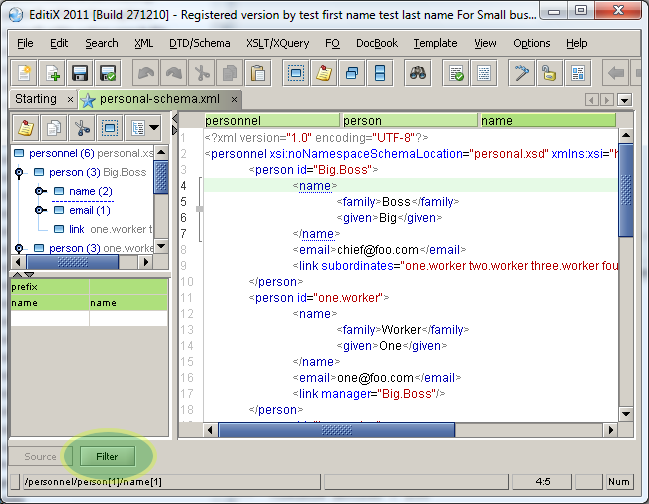
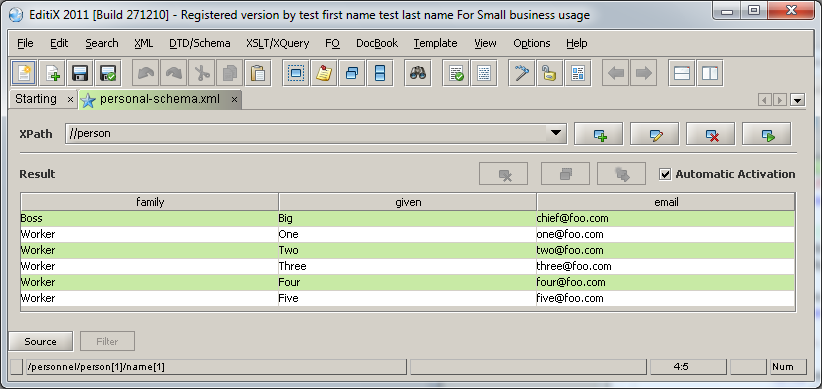
- New Filter for editing easily any parts of a document
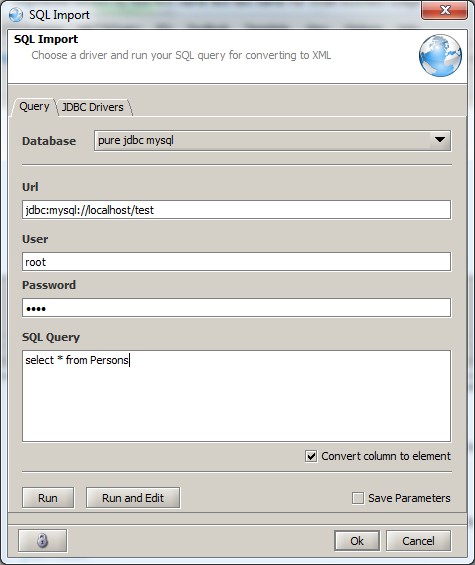
- SQL import with ODBC access by default
- Load and use your own JDBC data driver for any relational databases
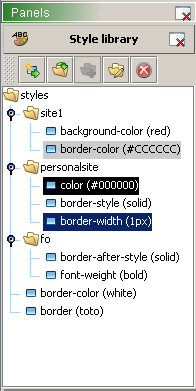
- New Style library panel for managing CSS style from HTML,XSL-FO,CSS documents
- New Expand Action for the editor tree popup
- CSV import option for converting column names to elements, add row numbers
- New Preference for changing the cursor color
- Text Antialiasing is enabled by default (preference application/interface/antialiasing)
- Engine Updates for inner XML libraries (XML,XSLT,XSL-FO)
XSD Editor
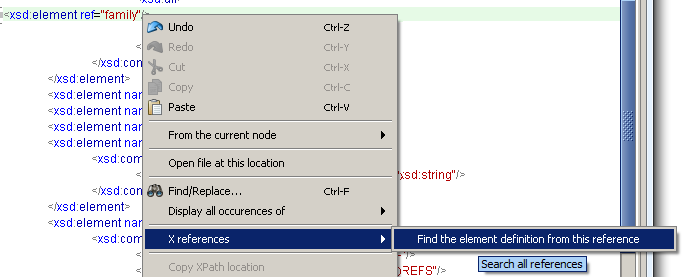
- New matching search for element ref, complexe and simple type from the contextual menu
XSLT Editor
- New toolbar for managing templates
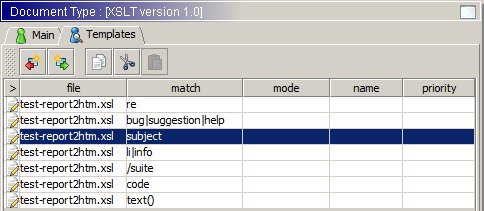
- Copy / Cut / Paste of templates from multiple documents
- New edit action for the Data and Result file
- New clean action for the result file
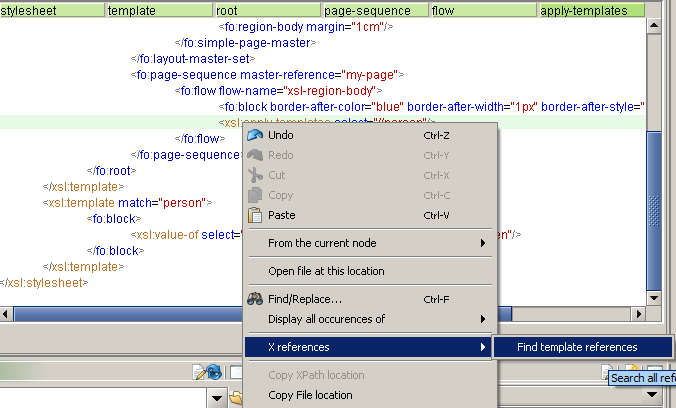
- New matching search for template,apply-templates,call-template from the contextual menu
XSL-FO Editor
- New matching search for page-sequence and master-page from the contextual menu
RelaxNG Editor
- New matching search for references and define blocks from the contextual menu
Bugs fixed
- Drag'n drop could create wrong occurence number for the snippets
- Drag'n drop of templates in the XSLT editor pane fixed
May, the 21 th 2010
Version : 2010 SP1
Build : 050510
General
- Improved user interface
- A message is displayed when assigning a relax ng schema
Text Editor
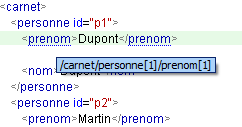
- Tooltip with xpath ( mouse + ctrl key ), list of attributes ( mouse + alt key )
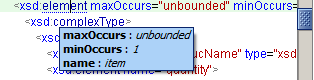
- Enter key is managed when changing a name in the element view
- New shortcuts ctrl + shift + down or up for moving to the previous or the next sibling node
- New shortcuts ctrl + page down + or page up for moving to the parent of the first child node
XSLT Editor
- Multiple file edition for including/importing parts
- Templates manager for attributes, inserting, moving a template
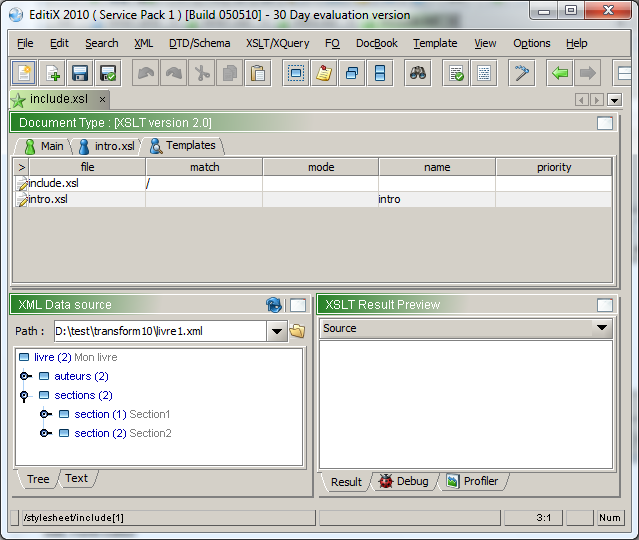
- XSLT Debugger works with including/importing xslt files
- The current context XML node is automatically displayed when debugging
XML Form Editor
- "Required" property is not set automatically for cardinality > 0
Bugs fixed
- Maximized state when opening from the most recent menu
- When debugging in a visual maximized state the debugging window is shown
- Drag'n drop from the XML data source to the XSLT editor fixed
- Parsing error with particular CDATA content
January, the 08 th 2010
Version : 2010
Build : 020110
XML Form Designer
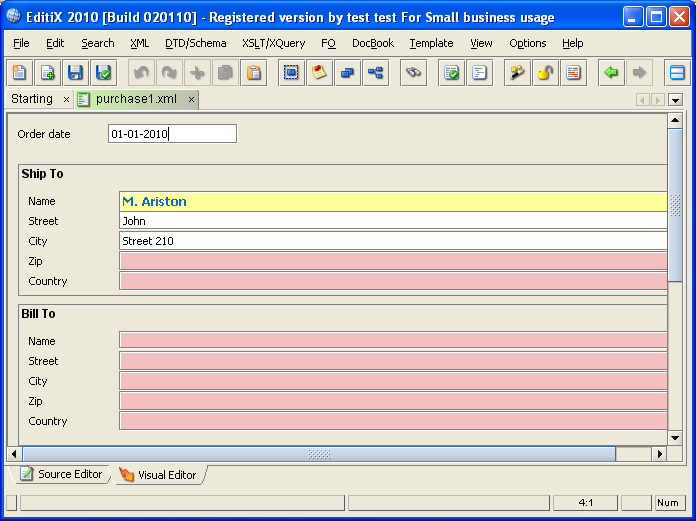
- Complete Designer for building Form for your XML documents
- Drag 'n drop from an XML Schema parts for building your Form
- Synthronization between the schema nodes and the form fields.
- Component library for adding special effect (label, separator...)
- Control for required fields and various constraints (multi lines...)
- XPath synchronization system
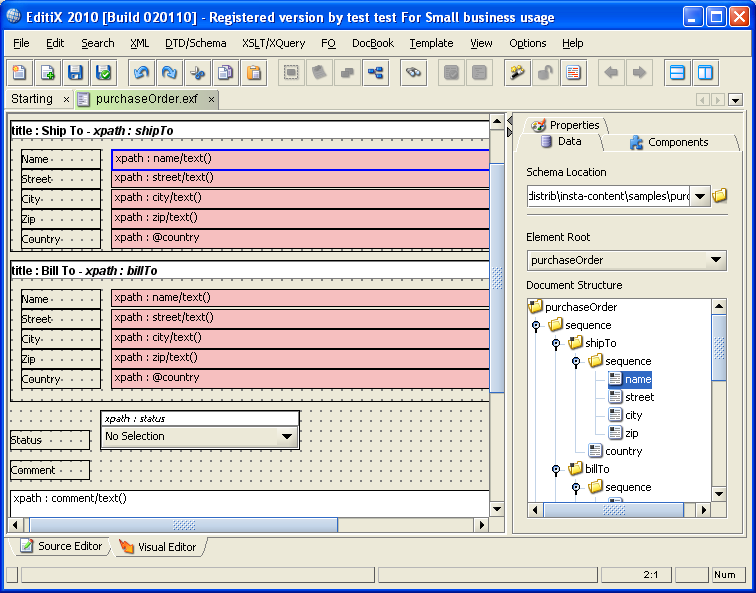
XML Form Editor
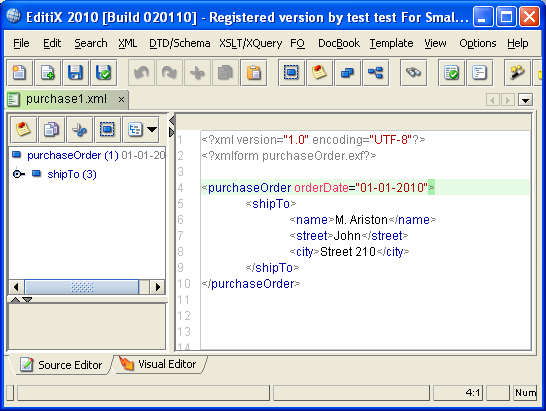
- Edit your favorite XML document with an XML Form
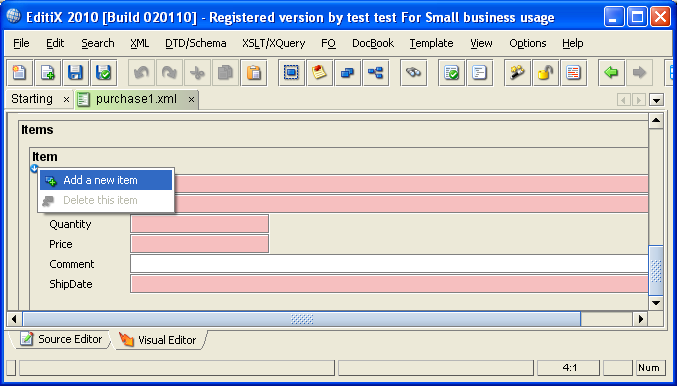
- Actions for adding and deleting sequence part
- Switch between the Form and the Source Editor
Text Editor
- Location bar for navigating into the node hierarchy (go to, select, copy, cut actions popup)

- Current line location
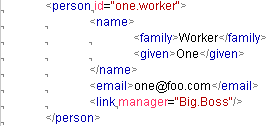
- Whitespaces visibility
Bugs fixed
- popups for Mac OS X fixed (Project panel and XSD visual editor)
- Some dialog layouts for Mac OS X fixed
- Due to wrong performance, the XHTML inner preview has been removed (system preview must be used)
EditiX XML Editor 2009
July, the 21 th 2009
Version : Service Pack 1
Build : 210709
>> Download now
Project
- Relative paths (preference application/project/relativePath for disabling it)
- Drag'n Drop starts slowly avoiding moving by error a project branch
- Delete key for removing a project element
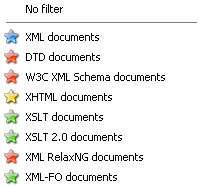
- Filter by document type (menu Popup)
XML Tree
- Drag'n drop of nodes takes into account auto-closed elements
- Ctrl key while dragging for duplicating the nodes
- Drag'n drop from the tree to the editor for copying a node
- Popup on a node for displaying another attribute
Editor
- Cursor location is restored after formatting
- Expression highlighting (parenthesis...)
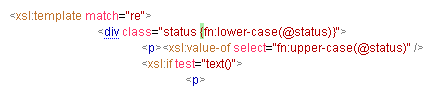
Interface
- "Close all except the current one" action
XSD Editor
- The attribute view is by default optional (delimiters in the border)
- The group ref view is minimized
- New export image action ( png or jpg ) in the designer
- Delete key in the visual mode is managed
XSLT Editor
- The document type (XSLT 1.0 or 2.0) is now displayed in the XSLT window
DocBook
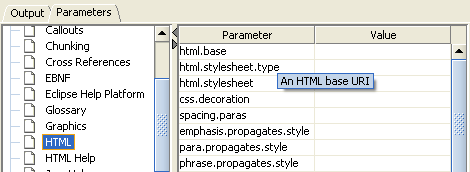
- HTML help output is managed
- DocBook properties are available
Bugs fixed
- XML catalog management fixed
- Couldn't parse an XML document with both a DTD and a schema
- Color of the '=' character could not be changed
- Formatting with text trimming could remove line breaks
- Couldn't add element in the visual mode for extension fixed
- Error message whenimporting a project for opened items
January, the 03 th 2009
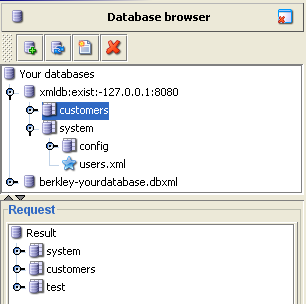
Native XML database
- Default support for eXist, xindice, oracle berkley db xml
- Interface for plugging a new xmldb driver
- Button for running the current query document
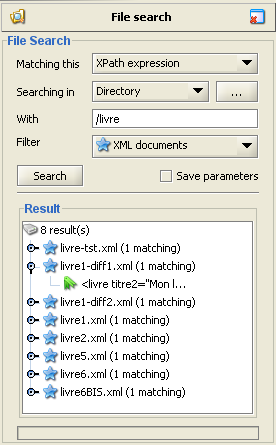
File search ( Search menu )
- Search with a text/regexp and xpath expression
- Search location in a directory or a project
- Filter for document type
- Result view with files and occurences
Common editor
- Line number with highlighting for the current node
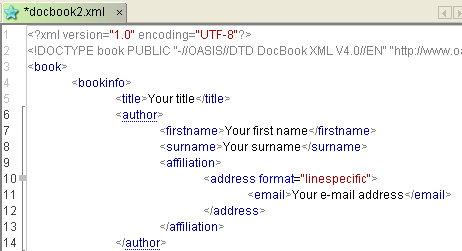
Schema editor
- Copy/Cut/Paste action in the visual mode
Interface
- The recent files (document and projects) are stored in the user home (so will be unchanged with new editix versions)
- Invalid recent files are in red inside the file menu
- Better preferences organization
- Alt-left/Alt-right for navigating into the selected editors
Search panels
- Enter key for running the element search
- Ctrl-Enter keys for running the XQuery search
XML
- Indent size submenu for the format action
- "Check all" action (working for XML, CSS, XQuery opened documents)
- Shortcut ctrl-T becomes ctrl-shift-A
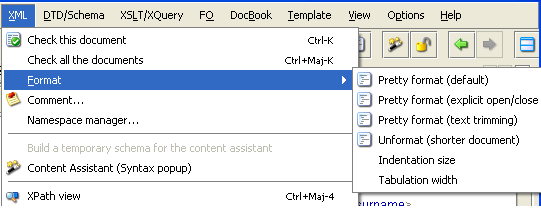
XSLT
- Assistant for available modes
Bugs fixed
- Wrong default path for the filebrowser wasn't notified
- Fix the "No stylesheet" message for DocBook transformation
- Fix the editix.tmp change message after a DocBook transformation
- Fix the Search/Replace
- Fix the Comment/Uncomment action
- Fix Diff with DTD
September, the 26 th 2008
Version : 2008, Service Pack 5
Build : 081208
Editor
- The first error is selected automatically when parsing
- Keyboard shortcuts : ctrl-shift-up and ctrl-shift-down for navigating into the errors
- "Ctrl down/up" shortcuts keyboard for selecting the next or the previous node in the text editor
- Search/Replace performance fixed
Project
- Keyboard shortcut : ctrl-shift-s for saving the current project
XSLT/XQuery
- XSLT2 validator
- Couldn't insert characters before the root node
- The XPath1 functions assistant for XSLT1 didn't display specific XSLT functions
- "Repeat the last action" works both for XSLT and XQuery
- XPath1/XPath2 functions assistant for XSLT1/XSLT2 (ctrl-space)
XML Diff
- New diff algorithm
- Export a report action
- Refresh action
- Filter actions
- Some error message weren't displayed
- A waiting message when processing is displayed
SVG
- Preview regression fixed
XSD/DTD Editor
- Drag'n drop for moving an element (table & diagram modes)
- Full schema validator
- Action for generating an XML template from the current element definition
XPath Window
- Keyboard shortcuts : ctrl-enter or ctrl-shift-enter for running
- The first result is selected automatically
CSS Editor
- Wrong properties are notified
June, the 19 th 2008
Version : Service Pack 4
News
Common :
- New XQuery Editor
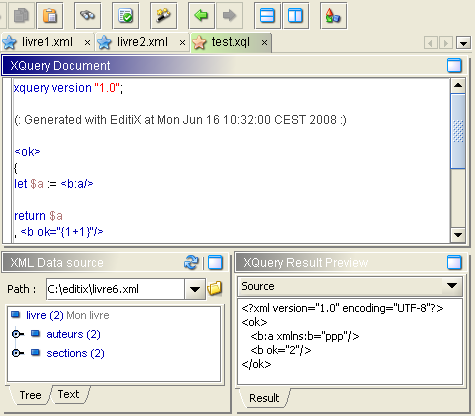
- XML instance generated from a W3C schema or a DTD
- New CSS Editor
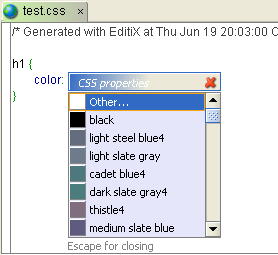
- Assistant for W3C Schema type boolean,dateTime,time,date,gYearMonth,gYear,gMonthDay,gDay,gMonth
- Syntax highlighting for XPath and XQuery
- W3C Schema Annotation managed for the content assistant
- A document with error is notified inside its tab

Bugs fixed :
- When choosing FOP for XSLT, the result document was displayed as any texts
- Formatting error with CDATA section fixed
- When clicking on an error message, the editor didn't scroll to the bound line
- When highlighting a line from the tree, some parts were wrongly refreshed
- BOM for UTF-8 was wrongly managed
- Formatting error fixed with a document without a prolog
- Previous/Next actions didn't work sometimes
- Several content assistant problems fixed
- Starting Editix with a file path didn't work
- The schema generator throwed an error
April, the 30 th 2008
Version : Service Pack 3
Build : 300508
News
Common :
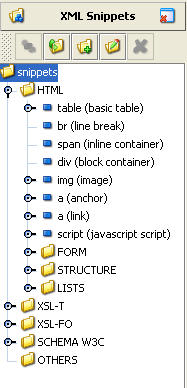
- XML Snippets : It helps you reusing XML blocks
- Use Drag'n Drop for putting a snippet into your document or Double click.
- Add your own snippet from your current document location
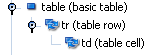
- Decide to repeat automatically some structure blocks
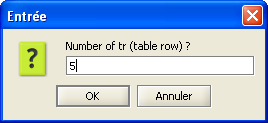
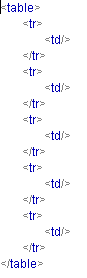
Then the result will be for 5 rows and 1 column :
- "Previous/Next file" buttons inside the main toolbar
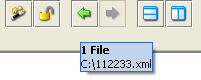
- XML Diff proposes the current XML documents
- Multiple selections for the XPath history for deleting
- Formatting scenario with text trimming
Bugs fixed :
- Error line could not appear with JDK6
- Attributes weren't lexically ordered by the content assistant
- Multi-lines comments wrongly generated for the Schema documentation generator
- The XSLT result wasn't always loaded
- Navigator didn't open for Windows/Mac os X platforms
- XSLT parameters couldn't be removed
- Assigning an XSD schema could loose the default namespace
- Export/Import for the XPath history added empty lines
- Attribute nodes from XPath result were partially displayed
- XSD document generation didn't escape < > characters
- XSD document generation with missing some HTML parts fixed
- Fixed some assistant problems with HTML and XSL-FO
- Fixed formatting and XSLT problems
March, the 30 th 2008
News
Common :
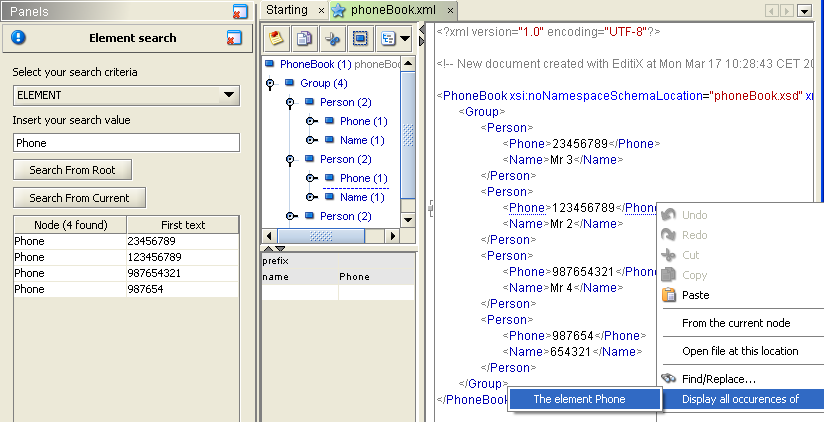
- Better result format for the search panel, the "*" value is managed for "any elements"
- New menu inside the editor popup for displaying occurences of element and attribute
- New menu action for displaying the current element occurences (shortcut F2)
- Performance for the pretty format improved
- Three formatting scenarios : Pretty, Pretty with explicit open/close, Unformat
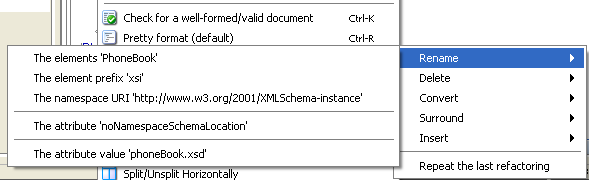
- The refactor menu item has been removed and is only available in the editor popup menu
- New "attributes to element", "attribute to element", "surround", "insert element/attribute" refactoring
- New "delete all the comments", "delete text inside an element" refactoring
- Repeat the last refactoring action (inside the editor popup menu)
- Manuel is shown with the F1 key
- Ressource Browser (file/zip/ftp) content sorted
- Button for changing the default directory for the file browser
- Add a CSS filter when opening a text file
- W3C Schema Enumeration facet is managed for the element content
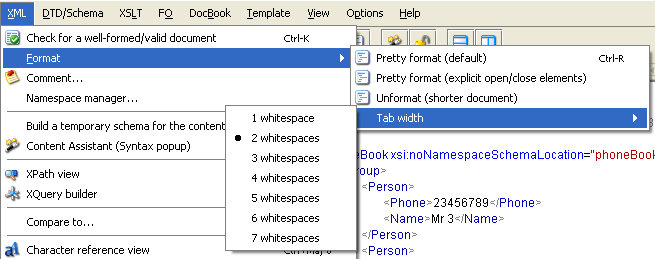
- The tab width can be changed inside the format menu
XSL-FO Editor :
- Refactoring : Rename page master name, region name
XSLT Editor :
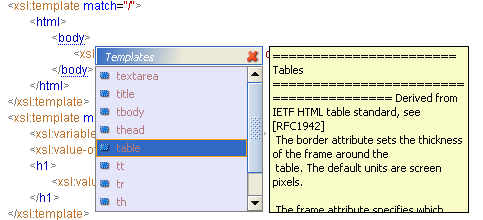
- HTML assistant for an HTML output
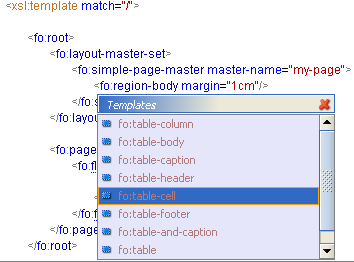
- XSL-FO assistant for an XSL-FO output
Bugs fixed :
- Wrong path name for the file browser under Mac OS X/Linux (missing a first '/')
- Wrong path for external entity value was not notified
- Schema encoding wrongly managed for the content assistant
- The search panel could freeze when selecting a node of a closed document
- Pretty format could loose empty text part
- New project action fixed
- Tree nodes couldn't be selected by the keyboard
- XPath node selection was too little (for Mac OS X)
March, the 03 th 2008
Version : Service Pack 1
Build : 030308
>> Download now
News
Common :
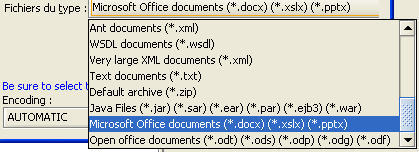
- Edit Office 2007 (.docx...) and Open office document (.odt...)
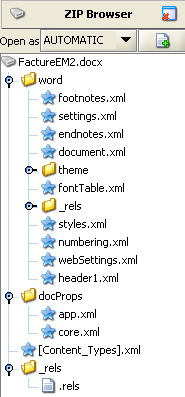
- New ZIP / FTP browser
- Edit by Drag'n drop ZIP files from your file system
- ZIP/FTP files can be added to a project and inside the previous file sub menu
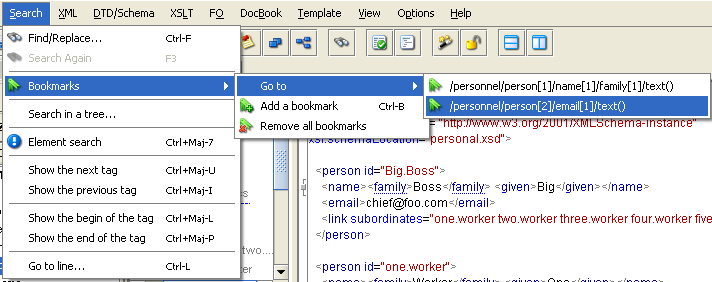
- Bookmark by XPath location or Cursor location (ctrl B)
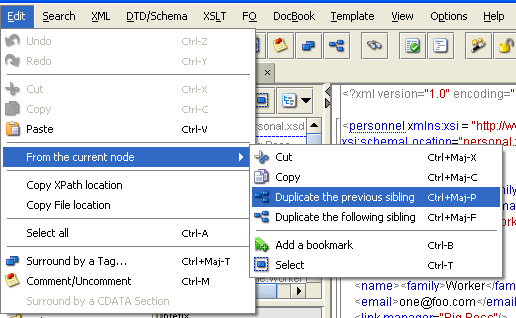
- Actions for duplicating the previous/following sibling node
- Open project file (*.pre) by Drag'n drop from the file system
- Default browser for Linux platforms is firefox
XSLT Editor :
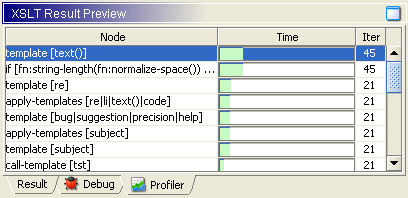
- Profiler for XSLT 1.0 and 2.0
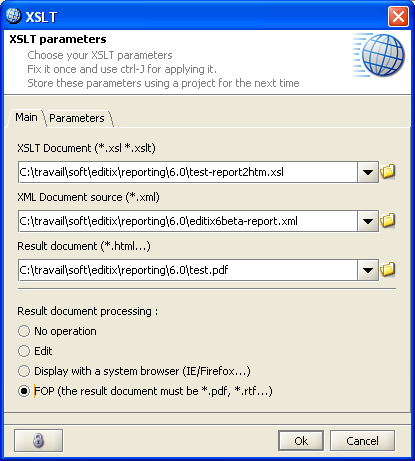
- XSLT with an FO result document can be transformed to PDF, RTF...
Bugs fixed :
- The "open recent menu" entries didn't memorized the editing parameters (like XML data source...)
- XML Schema W3C validation required internet access
- Uncomment action could work wrongly
- The XSLT debugger had various problems
- Errors line could be wrong when validating an XSLT or XSD documents
- When closing the introduction panel a wrong editor could be closed
- UTF-16 wrongly managed for the AUTOMATIC encoding mode
- Calling several times the templates manager worked wrongly
- Random wrong states for project actions
January, the 26 th 2008
Version : RC1
Build : 140208
>> Download now
News
* Visual Schema W3C Editor
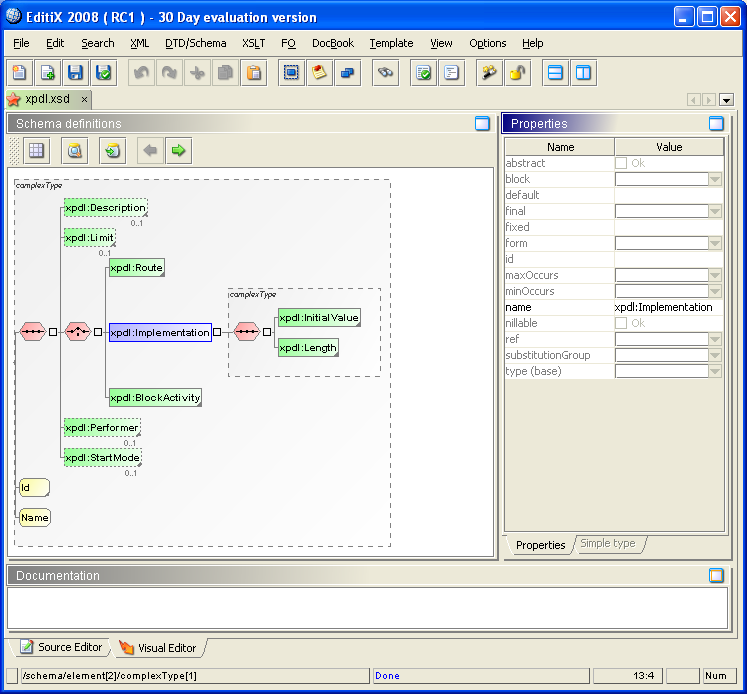
- Visual or table mode
- Manage complexType or simpleType
- Manage namespace
- Link to external definition
- Document any parts
- Switch from text to the visual mode using the current node
- Generate a documentation from your schema
- More features
* Common :
- Better content assistant height management
- The content assistant state is stored inside the project
- The content assistant state is available inside the main toolbar

- New document dialog improvement (double - click on a choice)
- Search/Replace dialog initialized with the text selection
- When a character cannot be displayed inside the character entity panel it is colored in gray
- A tooltip displays the current file path in the tab container
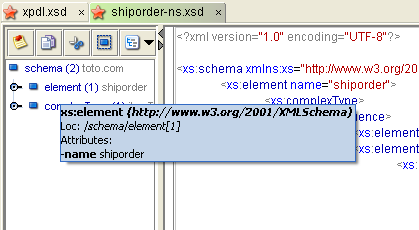
- A tooltip displays the attributes and the text inside the XML tree view
- Schema/RelaxNG generator formats the result
- Schema generator takes into account the root namespace
- When assigning a schema to an element with a namespace the schemaLocation attribute is used
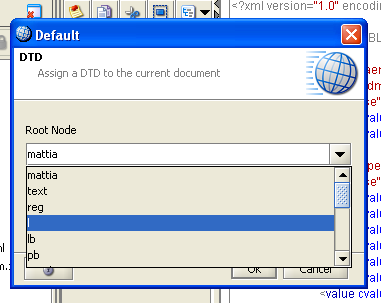
- When assigning a schema or a DTD root elements are available
- The tag update state is available inside the main toolbar
- New templates for TEI P4 Lite, TEI P5, DITA, WSDL, XSLT with XSL-FO output
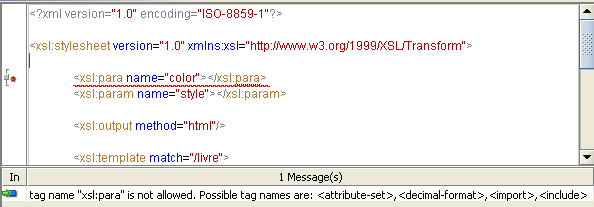
- Better visibility for the error's tooltip
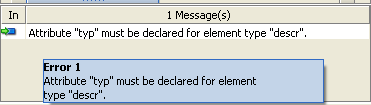
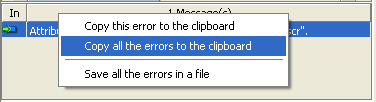
- Error popup : Copy to the clipboard or export the error list to a file
- EditiX can reload outside modified files
- Element search panel is available for any opened documents
- Surround action lists available elements
- Surround action works on the current selection or on the current element
- Export your XML structure to java classes with a SAX handler
- Refactoring action for adding a new attribute
- EditiX version shown inside the bug reporting system
- A modified document is displayed with a "*" inside the title

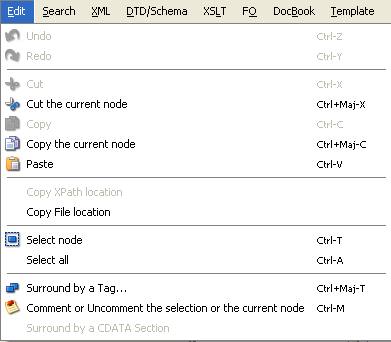
- Comment/Uncomment, Selection, Surround actions available in the toolbar and working with the current node
- Copy/Cut the current node actions
* XPath
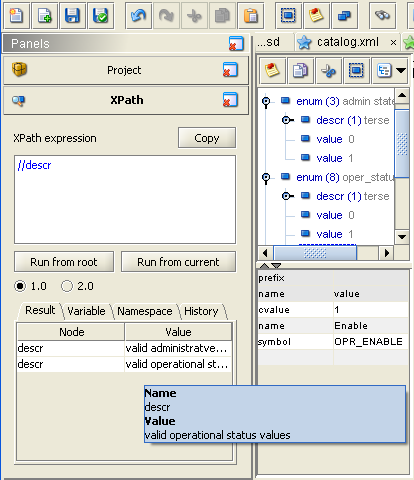
- Export/Import/Clean popup actions inside the history
- Tooltip with result name and value
* Project manager
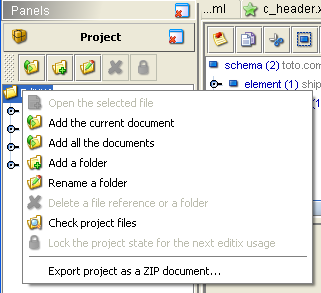
- New popup action for exporting the project content as a zip document
- New project action
- New "add all" action for all the current documents
- Drag'n drop of a directory works
*
RNG Editor :
- RNG documents are validated
* XSLT Editor :
- XSLT 1.0 documents are validated
- The action for disabling the assistant has been removed from the XSLT menu as it is available in the XML menu
- Button for refreshing the XML data source
- When building XSLT document with drag and drop, relative xpath location are computed
* XHTML Editor :
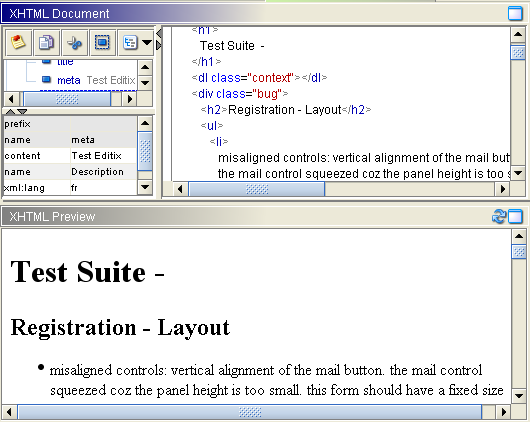
- Component preview
Bugs fixed :
- XSLT Transformation due to errors inside the XML source didn't displayed correctly
- XML Catalog was not taken into account for transforming
- The XPath result value didn't display text for XPath 1.0
- Relative XPath 1.0 expression to the root node couldn't work
- Refactoring action could "freeze" the application
- EditiX could "freeze" for a wrong XML data source at starting
- DTD Parsing bugs fixed
- The status bar could disappear when loading a project with an XSLT editor
- A relative path was available when assigning a DTD or a schema on a new document
- Surround with CDATA section was incorrect
- Default namespace sometimes wrongly shown inside the tree
- The first export for a project could fail
- Namespace manager fixed



"This is really a great app for creating and developing XML-based documents"
Rüdiger Weiß-Mazzoni
"useful and professional XML editor"
Eyal Katz